

Manual photo editing is usually better when accurate colours, detailed masking, product fidelity, and strict brand standards matter. AI photo editing is generally better for fast, repetitive tasks such as resizing, cropping, format conversion, basic enhancement, and simple background removal.
For many ecommerce businesses, hybrid photo editing offers the best balance. AI handles predictable production work, while a human editor checks details that could change how the product appears to customers.
There is no universal winner in the manual photo editing vs AI comparison. The right choice depends on image complexity, catalogue size, deadlines, budget, and the commercial cost of publishing an inaccurate image.
How Do Manual, Ai, And Hybrid Photo Editing Compare?
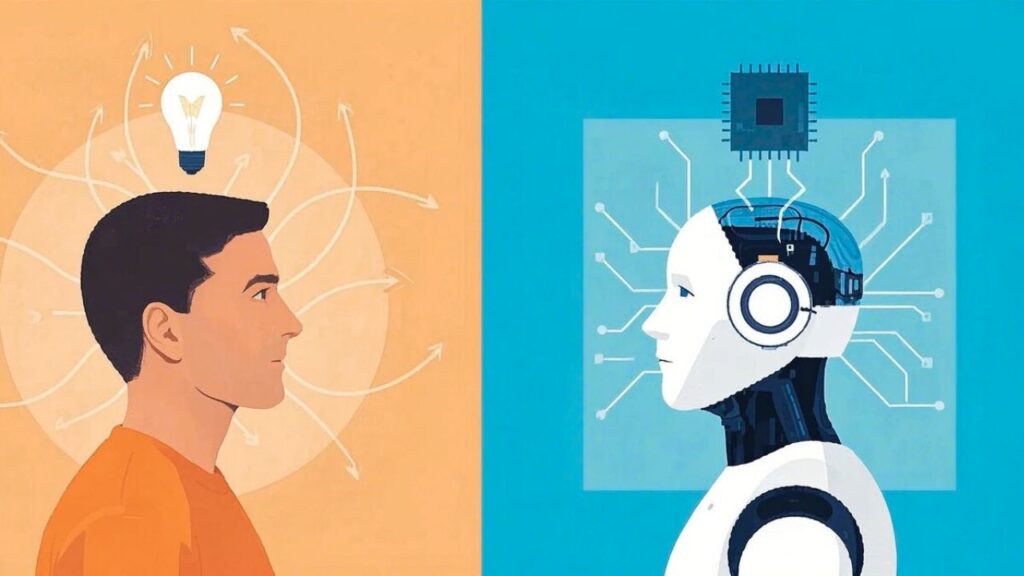
Manual editing provides the strongest human control, AI provides the fastest first output, and hybrid editing combines automation with professional review.
| Factor | Manual editing | AI editing | Hybrid editing |
| Speed | Slower for detailed work | Fast for routine tasks | Fast with controlled review |
| Accuracy | High with a skilled editor and clear brief | Varies by image and tool | High after human correction |
| Creative control | Strong | Limited or prompt-based | Strong |
| Product accuracy | More dependable | May alter small details | Human-checked |
| Batch capacity | Depends on team size | High | High |
| Complex edges | Carefully refined | Can be inconsistent | AI-selected, manually refined |
| Colour control | Precise with references | May create colour shifts | Human-approved |
| Consistency | Depends on standards and QA | Repeatable but not always visually consistent | Strong with templates and QA |
| Cost structure | Labour or per-image cost | Subscription plus staff time | Automation plus review |
| Best use | Complex, product-sensitive work | Simple, repeatable edits | Regular or growing catalogues |
These results are not automatic. Manual quality depends on editor skill, source-image quality, briefing, colour references, and quality assurance. AI results depend on the software, product type, background, lighting, and level of human review.
Fast repetition is also not the same as product image consistency. An AI tool may process an entire batch using the same instruction but still create different edges, margins, shadows, or colour treatments.
What Is The Real Difference Between Manual And AI Photo Editing?
The real difference is who controls the editing decisions and who approves the final result.
Manual editing does not mean working without modern tools. A human editor may still use presets, scripts, automated selections, recorded actions, and AI-assisted features. However, the editor controls the masks, colours, shadows, reflections, local corrections, and final approval.
AI editing can also mean several different things:
- Rule-based automation: Resizing, format conversion, compression, file naming, presets, and exports.
- AI-assisted editing: Subject selection, masking, denoising, background detection, and basic enhancement.
- Generative editing: Creating, replacing, extending, or rebuilding parts of an image.
Generative editing carries the greatest product risk because it may change shape, texture, proportions, packaging, or visible features. For ecommerce, the more useful comparison is fully automated output versus human-directed and human-reviewed editing.
Businesses unfamiliar with these production stages can first review the difference between photo editing and photo retouching before selecting a workflow.
Which Editing Method Should An Ecommerce Business Choose?
An ecommerce business should choose according to task complexity, image volume, acceptable risk, and the cost of an unnoticed editing error.
Choose AI-first editing for simple tasks
AI-first editing works well when the task is predictable and minor variations will not mislead customers.
Suitable tasks include:
- Resizing and cropping
- File compression
- Format conversion
- Basic exposure correction
- Simple batch enhancement
- Initial subject selection
- Straightforward background removal
The output should still be checked before publication, particularly when a tool is new or source images vary widely.
Choose manual editing for product-critical images
Manual editing is safer when shape, colour, texture, logos, labels, patterns, or construction details must remain exact.
It is especially useful for:
- Jewellery and watches
- Glass and transparent products
- Reflective electronics
- Hair, fur, lace, mesh, and fine fabric
- Fashion images requiring ghost mannequin work
- Cosmetic packaging
- Engravings and small text
- Premium advertising images
A small editing mistake in these images could misrepresent the item, weaken customer trust, or increase returns.
Choose hybrid editing for growing catalogues
Hybrid photo editing is practical when a business needs the speed of bulk image editing but cannot publish uncontrolled results.
Routine tasks can be automated, while difficult edges, colours, labels, reflections, textures, and shadows receive human quality control. One catalogue may use AI-first editing for simple accessories, manual editing for jewellery, and hybrid editing for standard apparel.
The best question is not, “Which method should we use for everything?” It is, “Which images can be automated safely, and which need individual attention?”
Which Method Gives Better Image Quality And Product Accuracy?
Manual editing is generally more dependable for precise, product-sensitive work, while AI can produce acceptable results on clean and straightforward images.
Product fidelity means keeping the edited image faithful to the real item, including its shape, colour, texture, markings, and proportions.
Ecommerce image quality should be checked for:
- Edge accuracy
- Product shape preservation
- Accurate product colours
- Texture retention
- Logo and packaging-text accuracy
- Reflection handling
- Shadow realism
- Background cleanliness
- Crop and margin consistency
An AI-edited image may look polished while quietly changing the product. A thin chain may disappear, packaging text may distort, fabric texture may soften, or reflective edges may be removed.
Manual editing is not automatically perfect either. Its quality depends on the editor, brief, source files, colour references, calibration, and QA process. The fair comparison is between properly tested workflows, not simply a person and a machine.
Professional editing also supports the wider role of strong product visuals. Store owners can learn more about the importance of photo editing for ecommerce when assessing how image quality affects brand presentation and customer confidence.
Which Ecommerce Editing Tasks Can AI Handle Reliably?
AI can handle structured, repeatable tasks where small differences do not materially change the product.
Lower-risk tasks include resizing, cropping, compression, format conversion, basic exposure correction, simple background cleanup, and initial subject detection.
Background removal becomes more difficult when an image includes:
- Thin jewellery chains
- Transparent packaging
- Glass
- Fur or hair
- Lace and mesh
- Reflective surfaces
- Overlapping fabric
- Soft or complex shadows
In these cases, a professional ecommerce photo editing service may be more dependable than fully automated output. Any change affecting shape, colour, text, texture, reflections, or product features should receive individual review.
Is AI Photo Editing Faster And Cheaper Than Manual Editing?
AI photo editing is usually faster at producing a first result, but it is not always cheaper once setup, correction, rejection, and review time are included.
Businesses should compare the total cost per approved image:
Cost per approved image = editing or software cost + setup time + review time + correction and revision costs, divided by the number of approved images.
The full cost may include:
- Software subscriptions
- Per-image charges
- Internal staff time
- Workflow setup
- Repeated attempts
- Manual corrections
- Revisions
- Rejected outputs
- Final quality checks
A batch of 100 images is not complete when an AI tool finishes processing. It is complete when all 100 images meet the brief and are ready to publish.
Automated photo editing may clearly reduce costs for clean, standardised images. For jewellery, glass, detailed apparel, or complex packaging, repeated correction work can make a low-cost AI tool more expensive than expected.
Can AI Maintain Consistency Across A Large Catalogue?
AI can repeat a process quickly, but catalogue consistency still depends on standardised photography, clear production rules, templates, and final quality assurance.
Product image consistency should be measured across:
- Product scale
- Crop position
- Margins
- Background colour
- Shadow direction and softness
- Colour treatment
- Output dimensions
- File format and naming
Results may vary because of lighting, camera angle, product position, material, background complexity, or software updates.
What Does A Practical Hybrid Photo-Editing Workflow Look Like?
A practical hybrid workflow automates safe steps while reserving detailed corrections and final approval for human editors.
- Receive and organise the source images.
- Match each product group to an approved editing brief.
- Separate simple and complex files.
- Automate resizing, initial selection, or basic cleanup.
- Send difficult images to a human editor.
- Check shape, colour, texture, text, logos, shadows, and reflections.
- Apply catalogue-wide crop, margin, and background standards.
- Export files to website or marketplace requirements.
- Complete final human quality control.
New workflows should receive full review until the business understands their error rate. Once a lower-risk task becomes stable, batch checks or spot reviews may be enough for technical steps such as resizing and format conversion.
How Should A Business Test Manual, AI, And Hybrid Editing?
A business should test all three approaches on the same mix of easy and difficult product images.
The sample should include reflective, transparent, textured, fine-edged, and colour-sensitive products where relevant.
Compare:
- Edge quality
- Colour accuracy
- Product shape
- Texture preservation
- Text and logo accuracy
- Shadows and reflections
- Background consistency
- Correction time
- Time to approved output
- Cost per approved image
- Marketplace readiness
Do not test only clean images. Difficult products reveal how reliable a workflow is.
Businesses should also consider error severity. A slightly uneven margin is less serious than removing part of a product, changing its colour, distorting a label, or adding a feature the real item does not have.
What Should Businesses Check Before Using An AI Platform?
Businesses should check how the platform stores, uses, protects, and deletes uploaded product images.
Review:
- Image-retention periods
- Model-training policies
- Output ownership
- Commercial-use rights
- Confidentiality terms
- File-deletion options
- Secure transfer
- Team-access controls
Unreleased products, private-label designs, prototypes, and embargoed campaigns may require stricter protection than ordinary catalogue files.
Generative backgrounds also need careful review because they may create misleading impressions about product size, material, features, or intended use.
When Does Outsourcing Ecommerce Photo Editing Make Sense?
Outsourcing makes sense when internal teams cannot maintain the required image volume, quality, or turnaround without creating a production bottleneck.
It may suit businesses when:
- Catalogue volume changes regularly
- Specialist editing is required
- AI output needs frequent correction
- Internal staff spend too much time reviewing images
- Hiring a full-time editor is not practical
- Product launches create recurring backlogs
Businesses facing these issues can review the benefits of outsourcing ecommerce photo editing before comparing a specialist provider with software, freelancers, or an internal team.
Before outsourcing, compare turnaround, revision policies, data security, specialist capabilities, scalability, communication, QA ownership, and cost predictability.
Frequently Asked Questions
Is AI photo editing better than manual editing?
AI is better for speed and routine automation. Manual editing is better for precision, complex corrections, and detailed creative control.
Can AI replace professional photo editors?
AI can reduce repetitive work, but it cannot reliably replace human judgement and quality control across every commercial editing task.
Is AI editing suitable for Amazon and Shopify images?
AI may be suitable for basic processing, but final images must accurately represent the product and meet the platform’s current requirements.
Can AI maintain accurate product colours?
AI can adjust colours but may also introduce unwanted shifts. Colour-sensitive products should be checked against reliable references.
What is a hybrid photo-editing workflow?
A hybrid workflow uses AI for safe, repetitive work while a human editor corrects, standardises, and approves the final images.
Final Verdict On Manual Photo Editing Vs AI
Manual photo editing vs AI is ultimately a decision about speed, accuracy, control, cost, and commercial risk.
AI editing is best for fast, repeatable, lower-risk tasks. Manual editing is best when exact colours, fine details, product accuracy, and strict brand standards matter. Hybrid photo editing is often the strongest choice for ecommerce businesses managing regular or growing catalogues.
The best method is the one that produces accurate, consistent, publish-ready images at an acceptable total cost, not simply the one that creates the fastest first result.
Not sure which workflow fits your catalogue? Submit a representative sample of simple and difficult images and compare a human-reviewed result before choosing a larger editing plan.