


Most people hear photo editing and retouching together, so it is easy to think they mean the same thing. In reality, they work differently. The difference between editing and retouching is that editing improves the whole image, while retouching fixes small flaws and details.
For ecommerce brands, photographers, and online sellers, this difference matters because every image has a purpose. Some photos only need better light, color, or crop, while others need dust, wrinkles, blemishes, or scratches removed. Let’s make the difference clear before choosing the right process.
Quick Answer: What is the difference?
The main difference between editing and retouching is really simple. Editing makes the whole photo look better. It does this by improving the picture. On the other hand, retouching fixes small things inside the photo.
Editing does a lot of things to the photo. It can fix the brightness of the photo, change the size, adjust the colors and make the picture sharper. It can even remove the background. All these things help make the photo look neat and balanced.
Retouching is different. It looks at the details in the photo. It fixes things like spots on the skin, dust, scratches and wrinkles. It can even fix hair folds in clothes and stains on products. If editing makes the whole photo look good then retouching makes certain parts of the photo look really clean and nice.
What is Photo Editing?
Photo editing is the first layer of improvement after a photo is taken. A raw image may look too dark, too warm, tilted, or poorly framed. Editing corrects these issues so the photo becomes clear, balanced, and ready to use.
In simple words, photo editing changes the overall look of an image without focusing too much on tiny imperfections. It is common in product photo editing, lifestyle photography, fashion shoots, social media images, and online store catalogs.
Common photo editing tasks include:
- Cropping and straightening
- Resizing for websites or marketplaces
- Brightness, contrast, and exposure correction
- White balance and color correction
- Background removal or cleanup
- Sharpening and noise reduction
Basic photo editing is often enough when the photo is already clean but needs better light, framing, or color. For online stores, ecommerce photo editing also helps keep product images consistent across a website, Amazon listing, Shopify store, or catalog.
Here are the main aspects of photo editing.
- Adjusting Brightness/Exposure: This is what you do when your photo looks too dark or too bright. Editing can fix that and help every element become apparent.
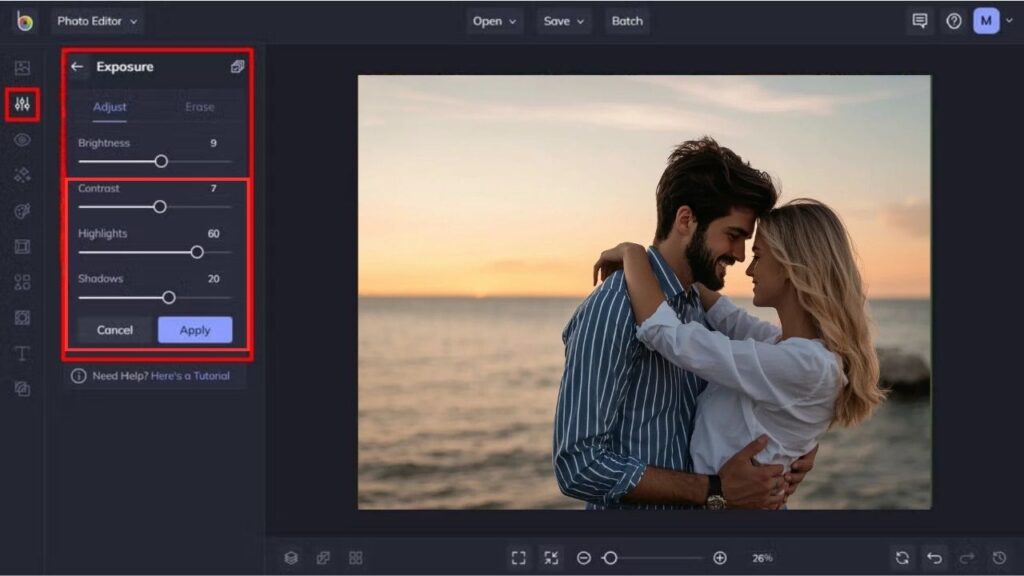
- Adjusting Contrast/Saturation: This is where the colors really start to jump. It can take a dull portrait of something and make it dynamic, impactful, and full of energy!
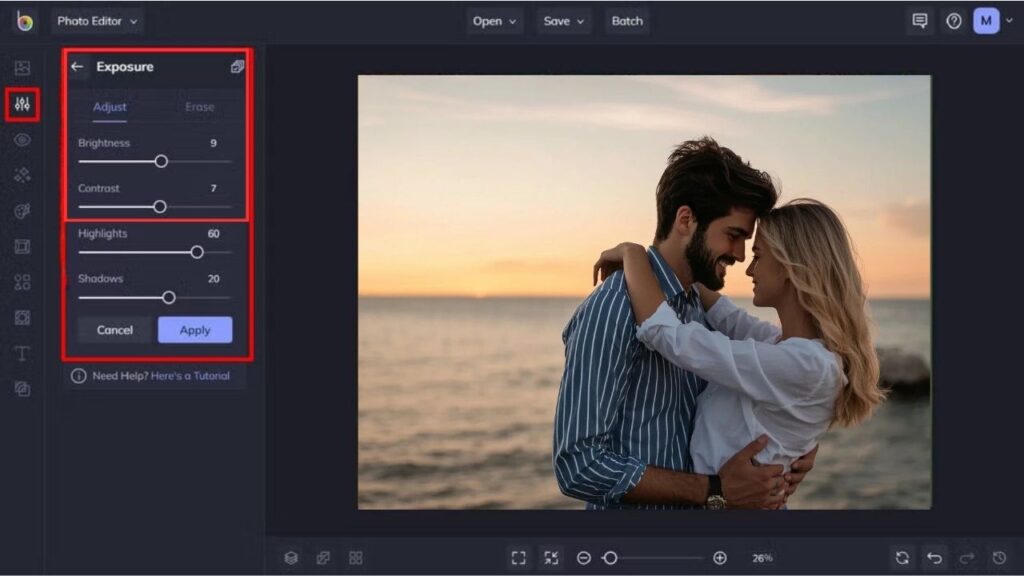
- Correcting Contrast and Saturation: This is when the colors go from flat to vivid. A boring image comes to life.
- White Balance and colour correction: This is a very important step. Sometimes, a camera sees colors differently from our eyes. This step makes sure all the color looks realistic. The white looks white, and the other color matches the real color of the product and looks natural.
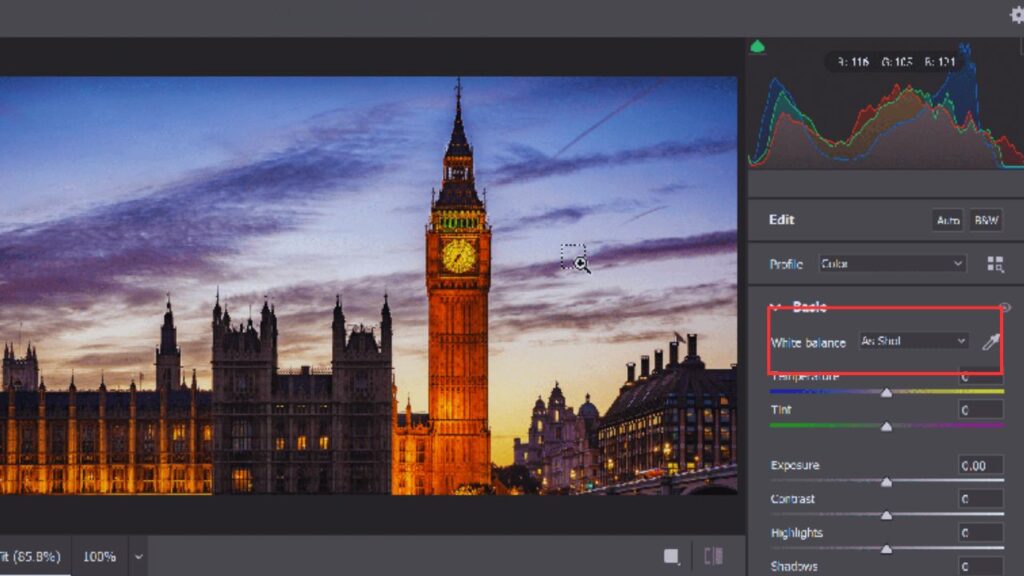
- Straightening and cropping: This is a very handy step. If the photo has something you don’t want, you can simply cut it out. Some photos even need straightening or tilting to look perfect. This step takes care of all that.
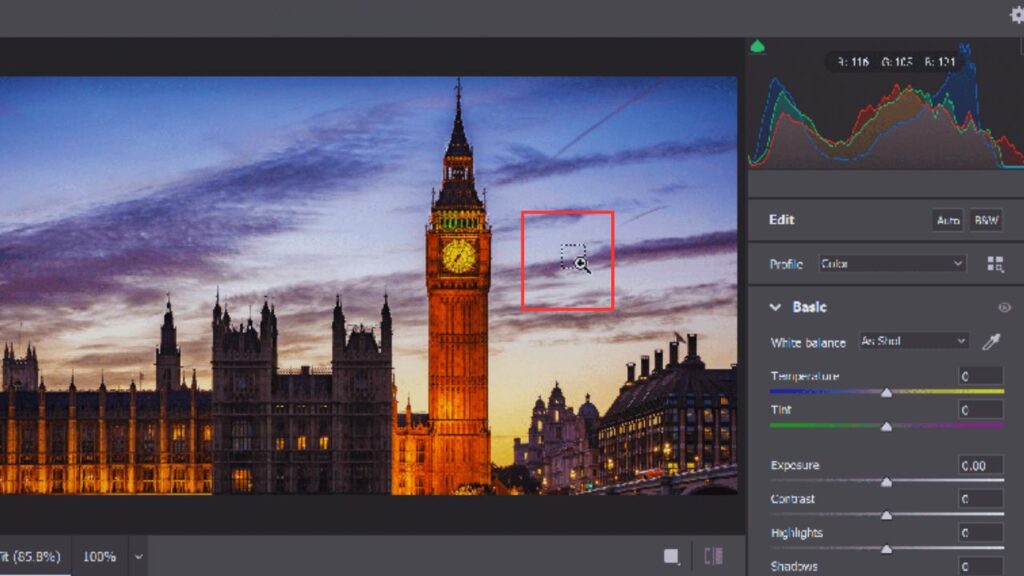
Photo editing gives your regular images a professional vibe. Now that we have got the photo retouching part covered, let’s talk about photo retouching.
What is Photo Retouching?
Photo retouching is when you fix problems in certain parts of a picture. It is more than editing a photo. Photo retouching removes things, like blemishes, dust, scratches, wrinkles, stains, hair or marks that distract you from the picture.
In pictures of products, fashion, beauty and ecommerce photos, retouching helps make the images look clean and nice. It makes the pictures look professional. The goal of photo retouching is not to make the pictures look fake, rather to remove things that distract you so you can look at the picture clearly. It actually helps you focus on the picture.
The following are some well-known photo retouching methods:
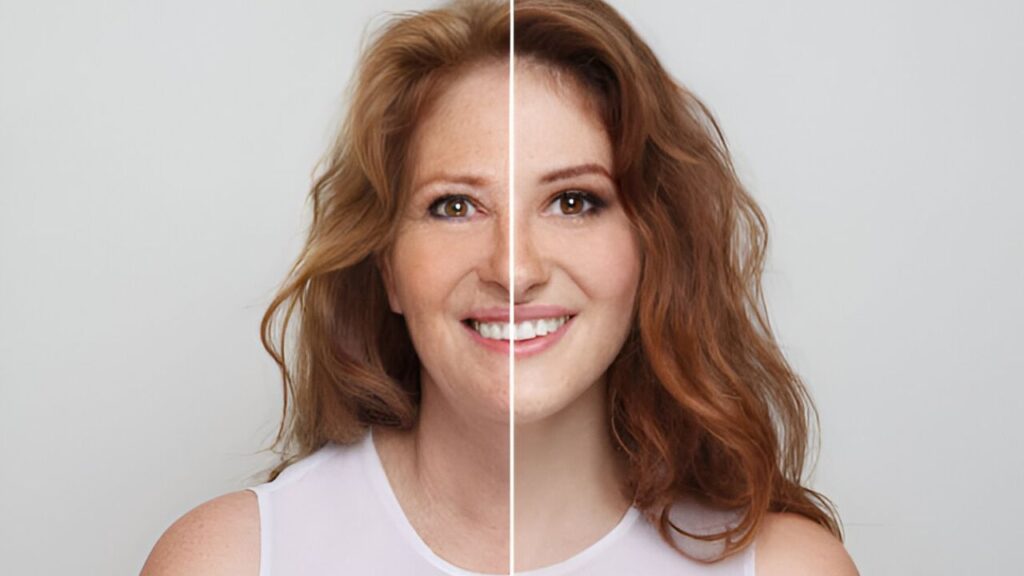
- Fading Blemishes and Wrinkles: This part focuses on making your picture look good. It can give you smoother skin and remove acne that looks bad in the picture. You can also soften wrinkles or even remove them to make the person look good.
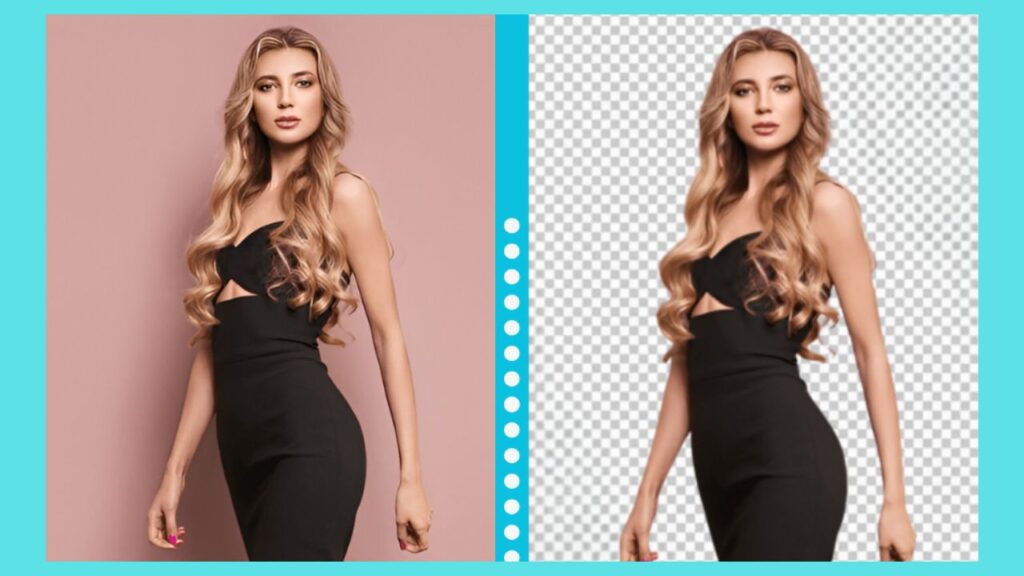
- Swapping and Removing Backgrounds: You often need a white or clean background for a professional photo. By retouching, you can completely swap it with something that looks better and more professional.
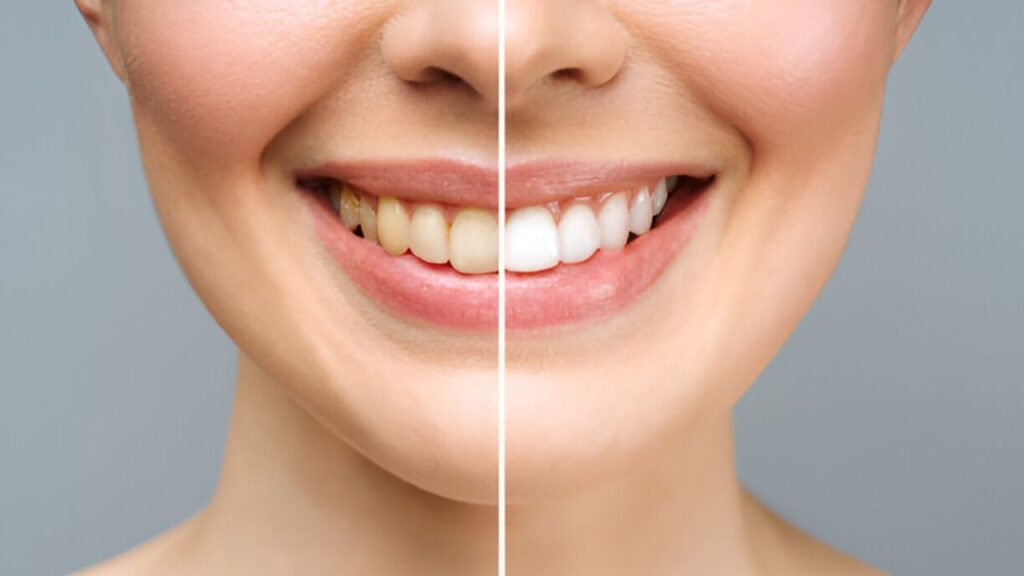
- Teeth whitening: This is important for model photography and portraits. You can make someone’s smile look better.
- High-end retouching: Fashion magazines and large advertisements. All of the other criteria involve more advanced techniques, such as shape-changing a dress or making jewels glitter like crazy!
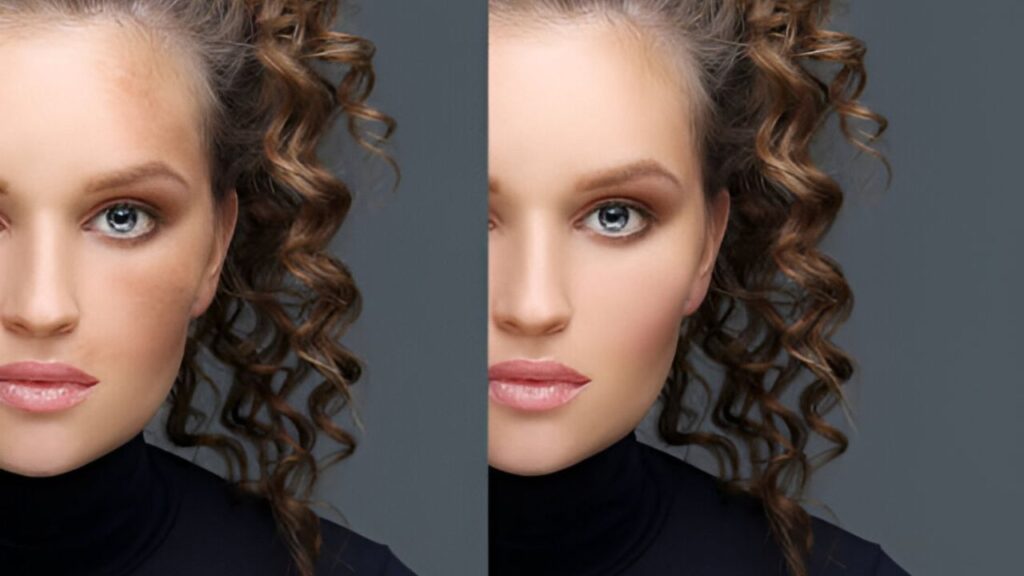
Photo Editing vs Retouching: Key Differences
The main difference between editing and retouching becomes clearer when you compare their purpose, work level, and final result. This section is also where image editing vs retouching matters most for businesses that need accurate, polished visuals.
| Point | Photo Editing | Photo Retouching |
| Main focus | Improves the whole image | Fixes selected details |
| Work area | Overall photo | Specific areas or flaws |
| Common tasks | Crop, exposure, color, contrast, resizing | Blemishes, dust, scratches, wrinkles, marks |
| Time needed | Usually faster | Usually more detailed |
| Best for | General image enhancement | Clean, polished, close-up results |
| Example | Brightening a dark product image | Removing dust from the product surface |
In short, photo editing vs retouching is not about which one is better. It is about what the image needs. A dull photo may need editing. A close-up product with visible scratches may need retouching. A commercial image may need both.
Simple Example: A Product Photo
Think about a sneaker that is for sale on the internet. If the picture of the sneaker is too dark or a bit sideways or if there is a lot of stuff in the background, then it needs to be fixed. This means someone has to crop the picture, make it brighter, fix the colors, adjust the balance and clean up the background.
If the white sneaker has dust on it or glue marks or scratches or stains then it needs to be retouched. These little problems can make a brand new sneaker look like it has been used or handled roughly even if it has not. The product photo of the white sneaker needs to look good so people will want to buy the white sneaker.
Is Retouching Part of Editing?
Yes, retouching is part of editing. Editing is a term while retouching is a smaller part of photo editing. However, people treat them differently because they need skills that take different amounts of time and serve different purposes.
- Adjusting brightness is editing.
- Removing acne from a face is retouching.
- Cropping a handbag photo is editing.
- Cleaning dust from leather texture is retouching.
That is why you often see editing and retouching services together. Many photos need fixes and detailed cleanups before they are ready, for websites, ads, catalogs or social media campaigns. Editing and retouching are both needed to make photos look good.
Editing vs Retouching vs Manipulation
There is another term people often mix with editing and retouching: photo manipulation. Editing improves what is already there. Retouching cleans and refines what is already there. Manipulation changes the image more heavily.
For example, changing exposure is editing. Removing dust from jewelry is retouching. Adding a new sky, replacing a person, changing body shape heavily, or creating a new scene is manipulation.
For ecommerce images, this matters because customers expect the product photo to match the real product. Good editing and retouching should improve presentation without misleading the buyer.
When Do You Need Photo Editing?
You need photo editing when the image looks unfinished but does not have many visible flaws. This is common after product shoots, studio sessions, lifestyle photography, and mobile photography. Photo editing is the right choice when:
- Photo is too dark or too bright
- Product color looks dull
- The image needs cropping or resizing
- Background looks messy
- Multiple images need the same style
- The file needs to meet marketplace size rules
For ecommerce sellers, professional photo editing helps create a consistent shopping experience across websites, marketplaces, ads, and email campaigns.
When Do You Need Photo Retouching?
You need photo retouching when a photo has imperfections that regular editing cannot fix. This is really important for close-up pictures like beauty photos or fashion shots. It is also necessary for photos of jewelry and products that are supposed to look perfect.
Photo retouching is an idea when:
- Skin has blemishes, does not look smooth
- Clothes have lint on them
- Jewelry is dusty, has scratches
- You can see fingerprints on glass or metal products
- A product looks stained
- There is hair, in a model photo
The point of photo retouching for ecommerce is not to make a product look fake. It is to remove things that distract from the product so people can see it clearly.
Why Do Ecommerce Photos Need Both Editing and Retouching?
When people shop online, they can not feel the clothes. They look at the pictures to decide what to buy. Ecommerce photos are very important because that is all people can see.
Editing makes all the photos look the same. It makes sure the colors and backgrounds are the same in all the pictures. It also makes sure the pictures are all the size and look good. Ecommerce photos need editing to look good.
Retouching ecommerce photos is also important. It fixes problems with the pictures. Both editing and retouching are necessary for ecommerce photos.
For example, a clean white background may come from background removal, while product surface cleanup may come from retouching. Together, they help the product look clear, accurate, and ready for buyers without changing what the product truly is.
Common Mistakes to Avoid
You can have good photos but if you are not careful when you edit or retouch them, people will not trust what they see. The thing you want to do is make sure the photo looks clean and natural and honest.
Some things you should not do include:
- Over-smoothing the skin so it does not look real
- Changing the colors of products much
- Taking away the texture of things like fabric or leather or skin
- Using filters that change the way the photo really looks
- Not making sure all the photos of products look the same
- Thinking that taking away the background is the thing you need to do to edit a photo
When you are taking photos, for ecommerce you want to make sure that every change you make to the photo helps it look clearer and does not trick the customer. You want the ecommerce photos to look good and be honest so the customer knows what they are getting.
Commonly Asked Questions
People usually have a lot of questions before they choose a photo improvement process for their pictures, product images or commercial photos.
Does retouching make photo quality bad?
Retouching does not make photo quality bad when it is done the way. If it is not done properly it can hurt the textures, make the details blurry or make the image look fake and flat.
What kind of software do people use to edit and retouch photos?
People use Adobe Photoshop and Lightroom a lot to edit and retouch photos. Some people who are just starting out also use Canva, Snapseed, Capture One or apps on their phones to edit photos.
How much retouching is much retouching?
Retouching becomes much when the skin, products, fabrics or textures do not look real anymore. The result should still look natural and real.
Do product photos on marketplaces need retouching?
Product photos on marketplaces often need a bit of retouching especially to remove dust, scratches, stains or wrinkles. Clean photos help products look trustworthy without changing how they really look.
Can the same photo need any kind of editing?
Yes, the same photo may need kinds of editing for different places like websites, ads, social media or print. Each place has needs for size, color and display so the photo needs to be edited in different ways, for each place.
Final Thoughts
Having a clear idea about the difference between editing and retouching helps you choose the right process for every image. Editing improves the full photo through light, color, crop, size, and background adjustments. Retouching focuses on detailed cleanup, such as blemish removal, dust and scratch removal, skin retouching, wrinkle cleanup, and product polishing.
For casual photos, editing may be enough. For ecommerce, fashion, beauty, jewelry, and close-up product images, both editing and retouching may be needed. Before choosing a service, look closely at your photo and decide whether it needs overall correction, detailed cleanup, or both.