

Photoshop shadow creations help ecommerce businesses make product images look more realistic, visually balanced, and professionally prepared by adding depth, improving product focus, and creating natural-looking presentations.
The main advantages of Photoshop shadow creations include better product realism, consistent catalogue appearance, improved customer confidence, and reduced dependence on repeated photoshoots.
For Shopify stores, Amazon sellers, online retailers, and product brands, professional shadow editing can transform plain product photos into polished visuals that better represent the quality of their products.
A well-created shadow does more than decorate an image. It helps products feel grounded, gives shoppers a better sense of shape and position, and creates a consistent visual style across large product collections.
What Is Photoshop Shadow Creation and Why Is It Used?
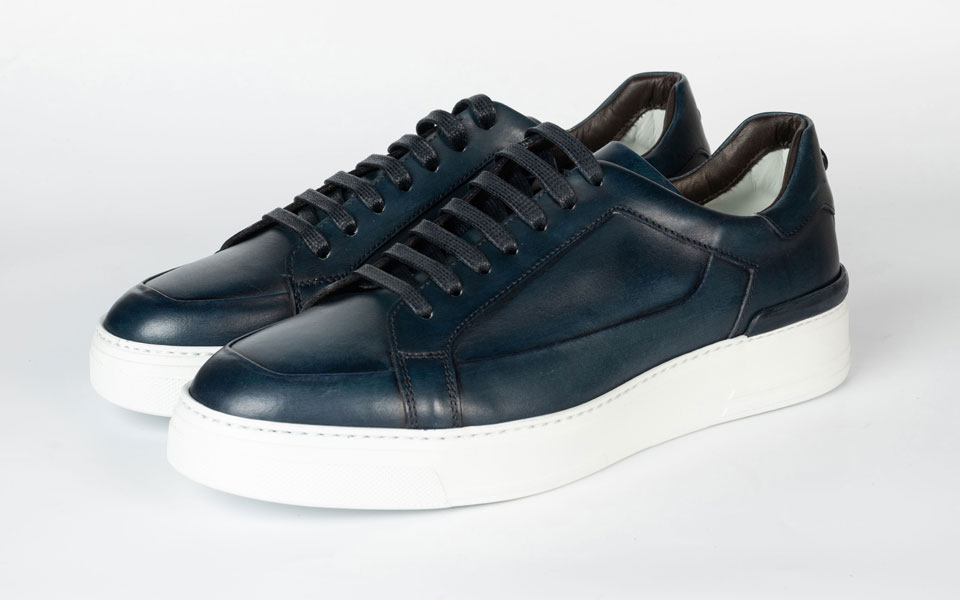
Photoshop shadow creation is the process of adding realistic digital shadows to product images using Adobe Photoshop techniques to improve depth, placement, and overall visual presentation.
Many ecommerce businesses use clean white backgrounds because marketplaces and online stores prefer simple product visuals. However, completely shadow-free images can sometimes make products appear flat or disconnected from the background.
Digital shadow creation solves this issue by adding carefully edited shadows that match the product’s shape, lighting direction, and surface position.
Unlike natural shadows captured during photography, Photoshop shadows are created during post-production. This gives editors more control over:
- Shadow direction
- Softness and blur
- Opacity
- Distance from the product
- Perspective
- Overall visual balance
For ecommerce brands, shadow editing is often combined with other image enhancement techniques such as background removal, colour correction, and product retouching to create professional product images for websites, marketplaces, advertisements, and catalogues.
What Are the Top Advantages of Photoshop Shadow Creations?

The advantages of Photoshop shadow creations go beyond improving image appearance. They help businesses create realistic product visuals, maintain consistent branding, and present products in a way that feels trustworthy to online shoppers.
Creates More Realistic Product Presentation
The biggest advantage of Photoshop shadow creation is that it makes products appear naturally placed instead of floating or looking digitally separated from the background.
A realistic shadow helps viewers understand:
- Product position
- Product shape
- Product size
- Relationship between the product and its surface
For example, jewellery products often need subtle reflection shadows to create a premium appearance, while furniture or footwear images may require stronger natural or cast shadows to show depth.
Adds Depth and Dimension to Product Images
Shadows create visual separation between a product and its background, helping images look less like simple cut-outs.
Real-world objects naturally interact with light and surfaces. Without any shadow, even a high-quality product photo can appear unrealistic because there is no indication of placement or depth. A carefully edited shadow effect creates a sense of space and makes product visuals easier to understand.
Improves Ecommerce Product Image Quality
Product images often influence customer perception before they read descriptions, reviews, or specifications. Professional-looking visuals help businesses present their products more effectively.
Photoshop shadow editing is commonly used for:
- Shopify product pages
- Amazon product listings
- Online marketplaces
- Ecommerce catalogues
- Paid advertising campaigns
- Social media product creatives
Shadow creation can also be combined with other editing services such as product photo retouching and background removal to produce complete ecommerce-ready images.
Builds Customer Confidence Through Better Visual Presentation
Online shoppers cannot physically touch or examine products before buying. Clear and realistic images help them understand what they are considering.
Natural-looking shadows make product photos feel more complete because they show how the item may appear in a real environment.
Creates Better Product Listings for Amazon and Online Stores
Photoshop shadow creation helps ecommerce brands create cleaner and more professional product listings that stand out in competitive online marketplaces.
On platforms like Amazon, Shopify, and other ecommerce websites, customers often compare multiple products within seconds. Professional shadow editing can improve:
- Product listing image quality
- Website product galleries
- Marketplace visuals
- Promotional banners
- Product catalogue images
For example, a simple white-background product photo may look flat. Adding a suitable natural shadow or drop shadow can make the product appear more premium while keeping the clean marketplace-friendly style.
Maintains Consistent Brand Appearance Across Product Catalogues
Product images are often captured under different conditions. Changes in lighting, camera settings, or photography locations can create inconsistent results across a catalogue.
A professional Shadow Creation Service allows brands to apply the same editing style across hundreds or thousands of images.
This is especially useful for:
- Fashion ecommerce brands
- Jewellery stores
- Electronics retailers
- Furniture businesses
- Beauty product companies
A consistent catalogue makes an online store look more organised, reliable, and professionally managed.
Reduces the Need for Repeated Photography Setups
Photoshop shadow creation helps businesses improve existing product images without arranging expensive photoshoots every time.
This is valuable for brands that:
- Add new products frequently
- Manage large inventories
- Sell products from multiple suppliers
- Need regular catalogue updates
Instead of recreating the same lighting setup for every product, businesses can use professional shadow editing to enhance existing images.
However, shadow editing does not completely replace good photography. It works best when combined with clear, high-quality source images.
What Types of Photoshop Shadows Are Used in Product Editing?
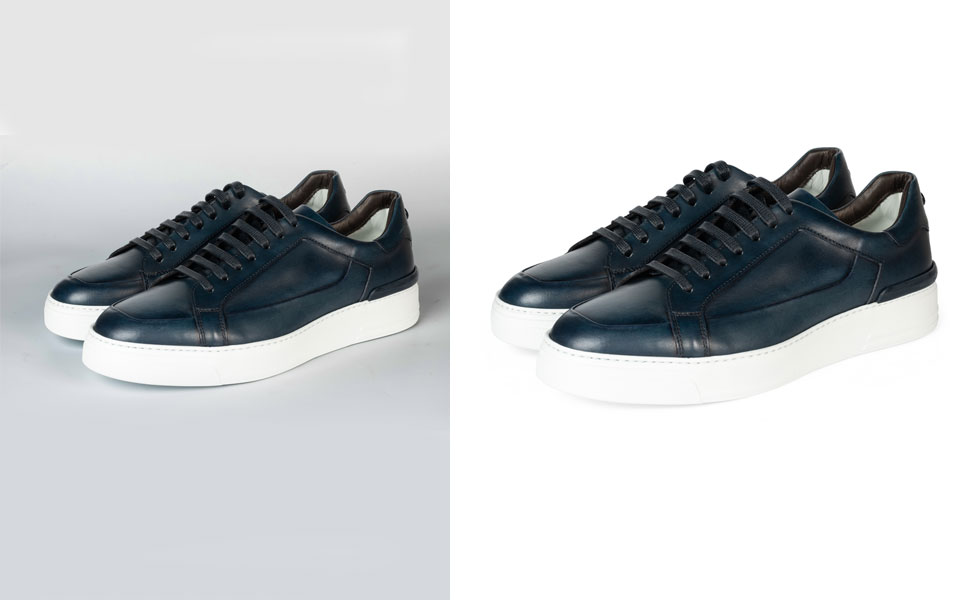
Different products require different shadow styles depending on their material, shape, and brand presentation goals.
|
Shadow Type |
Best Used For |
Main Benefit |
|
Drop Shadow |
Simple ecommerce products, accessories, small items |
Creates separation from the background |
|
Natural Shadow |
Everyday product images |
Makes products appear realistically placed |
|
Reflection Shadow |
Jewellery, glass, luxury products |
Creates a premium visual effect |
|
Cast Shadow |
Furniture, shoes, larger products |
Adds stronger depth and realistic lighting |
|
Floating Shadow Effect |
Fashion and modern ecommerce designs |
Creates a stylish presentation |
Professional editors select the right shadow style based on the product category and desired appearance. Businesses that need professional shadow creation services can use expert editing support to add realistic drop shadows and reflection effects to their product images.
For example:
- Jewellery often works well with reflection shadow creation.
- Furniture usually needs a realistic floor or cast shadows.
- Fashion products may benefit from soft natural shadows.
- Minimal ecommerce products may only need subtle drop shadows.
Using the wrong shadow style can make an image feel artificial, so professional editing requires attention to lighting and perspective.
What Are Common Shadow Creation Mistakes to Avoid?
Even though digital shadow creation is a powerful editing technique, poorly created shadows can make product images look unrealistic. Common mistakes include:
- Using the Wrong Shadow Direction: A shadow should match the existing product lighting. If the shadow direction conflicts with the product highlights, the image can look unnatural.
- Making Shadows Too Dark: Real shadows usually contain softness and transparency. Extremely dark shadows can distract customers from the product.
- Using Excessive Blur: Too much blur removes realism and can make the product appear like it is floating.
- Creating Inconsistent Shadows Across Products: Different shadow styles across a catalogue can make an ecommerce store appear unprofessional.
- Ignoring Product Material: Different materials interact with light differently. Jewellery, glass, fabric, and furniture require different approaches.
When Should Businesses Use Photoshop Shadow Creation?
Photoshop shadow creation is useful whenever businesses need product images that look cleaner, more realistic, and more consistent.
Common situations include:
- White background product images
- Amazon product listings
- Shopify stores
- Ecommerce catalogues
- Product launches
- Advertising campaigns
- Social media product promotions
Businesses benefit most when they already have product photographs but need better presentation without arranging new photography sessions.
Photoshop Shadow Creation vs Natural Photography Shadows: Which Is Better?
Both natural photography shadows and Photoshop shadow creation have advantages. The better choice depends on the business requirements, product volume, and desired consistency.
|
Natural Photography Shadows |
Photoshop Shadow Creation |
|
Created during the photoshoot |
Added during post-production |
|
Requires controlled lighting conditions |
Works with existing product images |
|
Can vary between photos |
Easier to keep consistent |
|
Limited editing flexibility |
Full control over shadow style |
For businesses managing large product catalogues, Photoshop shadow creation often provides greater flexibility because every image can follow the same visual standard.
Should You Outsource Photoshop Shadow Creation Services?
Businesses should consider outsourcing Photoshop shadow creation services when they need consistent quality, regular editing support, or large-scale image processing.
A professional shadow editing service can provide:
- Experienced image editors
- Consistent shadow styles
- Bulk image editing support
- Quality checking processes
- Faster production workflows
Outsourcing is especially useful for ecommerce companies that do not have an internal editing team or need hundreds of images prepared for online platforms.
A professional ecommerce image editing service can combine shadow creation with solutions such as clipping path editing, background removal, and product retouching to create complete product image improvements.
How Much Does Photoshop Shadow Creation Cost?
The cost of Photoshop shadow creation usually ranges from $0.20 to $5 per image, depending on project requirements. Pricing is influenced by factors such as:
- Number of images: Bulk orders may reduce the per-image cost.
- Shadow complexity: Simple shadows cost less than detailed effects.
- Product type: Jewellery, transparent items, and complex products require more editing.
- Turnaround time and additional edits: Urgent projects or extra enhancements may increase costs.
Note: Pricing is not fixed and varies based on image requirements and service providers.
Frequently Asked Questions
These frequently asked questions cover the most common concerns about Photoshop shadow creation, including its benefits, costs, techniques, and how businesses can use it for better ecommerce images.
Why are shadows important in product photography?
Shadows add depth, create realistic product placement, and help ecommerce images look more professional and visually appealing.
Does adding shadows make product images look realistic?
Yes, professional shadow editing can improve realism when the shadow direction, opacity, softness, and perspective match the product and lighting conditions.
What types of shadows can Photoshop create?
Photoshop can create different shadow styles, including drop shadows, natural shadows, reflection shadows, cast shadows, and floating shadow effects.
Can Photoshop shadow creation improve old product photos?
Yes, shadow creation can improve existing product photos by adding depth and better visual balance. However, it cannot fully fix poor-quality or unclear source images.
How much does professional shadow creation cost?
Pricing depends on image quantity, product complexity, shadow style, and service requirements. Businesses usually receive customised quotes based on their projects.
Should businesses outsource Photoshop shadow creation?
Outsourcing is useful for brands that need consistent results, bulk editing support, and professional ecommerce-ready product images.
Need Professional Photoshop Shadow Creation for Your Product Images?
Professional Photoshop shadow creation can help ecommerce brands create realistic, consistent, and high-quality product visuals without depending on repeated photography setups.
Whether you need product catalogue editing, marketplace-ready images, or large-volume ecommerce image enhancement, an experienced editing team can help create polished visuals that match your brand style.
Request a free trial or get a customised shadow creation quote to see how professional editing can improve your product images.