


What Are Clipping Paths In Photography
Achieving perfection in professional photography comes with a never ending quest. From lighting, composition, and even the tiniest detail in post processing, everything counts. One of the most vital aspects for quickly achieving results is the clipping path. Clipping paths serve as auxiliary elements that hinder and seriously impede subject isolation and background removal, and overall image improvement. If you are seasoned professional or just starting as a photography hobbyist, knowing about clipping paths can greatly improve your results.

Clipping paths are vector paths that one can draw on images from illustrations, photographs, or clip art in order to remove the subject from its background using image editing software. This process is common in many forms of photography like product and fashion photography, portrait, and even commercial. If photographers learn how to use clipping paths, his images can stop looking basic and professional with vivid contrasting colors and flawless depiction that is pleasing to the eye and enabled in the highly competitive market.
In this guide, you will find the details of clipping paths on how to use, the benefits, the common uses, and the tools needed to create one. Further, we will detail the entire process of the clipping path stepwise along with the dos and don’ts and real life case studies. By the time you finish reading this article, you will have gained enough knowledge on how clipping paths can improve your photography and how UK Clipping Path can help you achieve flawless editing.
What is a Clipping Path?
Definition and Purpose
A clipping path is a closed vector path or an outline which can be drawn with the aid of image editing software such as Adobe Photoshop to remove an image’s background. This path can be drawn with the help of the Pen Tool; this tool enables one to draw precise and clean outlines of the subject. After drawing the path, everything outside the path is cut out and discarded so that just the subject is left.
Importance in Photography
Clipping paths are essential for several reasons:
- Background Removal: One of the most important uses of a clipping path is to eliminate a particular image’s background so that the subject can be used on a different background or for various design purposes.
- Image Uniformity: With clipping paths, consistency in images is maintained throughout, especially in product photographs, where uniformity is important.
- Professional Grade: Clipping paths enable images to have clean edges, which is important in any marketing campaign, advertisement, and portfolio in order to have a polished finish.
- Freedom: Photographers can change the image, alter the background, or use the subject in different contexts with a clipping path, without losing the original value of the image.

Reasons for Employing Clipping Paths
- Better Image Appearance
Clipping paths enable sharp and accurate cuts that result in the best edges on images. This is imperative in professional photography, where images can make or break a given project.
- Adaptability
Paths give photographers scope to use the subject in other varying contexts, be it superimposing the subject on a new background or in different design projects. Paths offer limitless options for composite images.
- Saves Time
A path may be time consuming to create but saves a lot of time in the long run. Once a path is created, it can be used on multiple images and helps to standardise images especially in product photography where uniformity is essential.
- Excellent Image Quality
Using clipping paths on the images gives those images an edge which is needed in commercial photography and goes with the clean professional look. Photographs with images having sharp cuts gives an image overall more appeal.
- Affordable Pricing Purse Saving Options
Providing Clipping path services is economical, especially for bulk orders. UK Clipping offers the best deals which are competition in one of the professions in the industry. These professional services assist photographers with time saving options and high quality results.
Improvements in Image Quality with Clipping Path
- Sharpness During Cut Edges
Great levels of detail are possible while using clipping path and it ensures level of accuracy by isolating the subject as intended. Accuracy close to this one is very helpful for an image in terms of Polishing it while holding its residential edges better yet professional.
- Sharp Edges Visibility
Sharp edges of an image are one of the primary and core features. Images with high sharp edges and details, like separated strands of hair or fur, become greatly more appealing.
- Foreground Removal or Background Manipulation
The value of any image can be greatly enhanced by removing the background. A subject with a clean background devoid of distractions visuals is more entertaining.
- Achieving Uniformity with Clipping Paths
With the use of clipping paths, maintaining uniformity with a variety of images, this is crucial for product pictures and commercial gigs. Uniform imagery boosts the credibility of the project.
- Editing Flexibility
Editing the subject without the background is now possible with the aid of clipping paths. This gives more scope to manipulate the image by trying different backgrounds and effects.
Where Clipping Paths are Most Useful
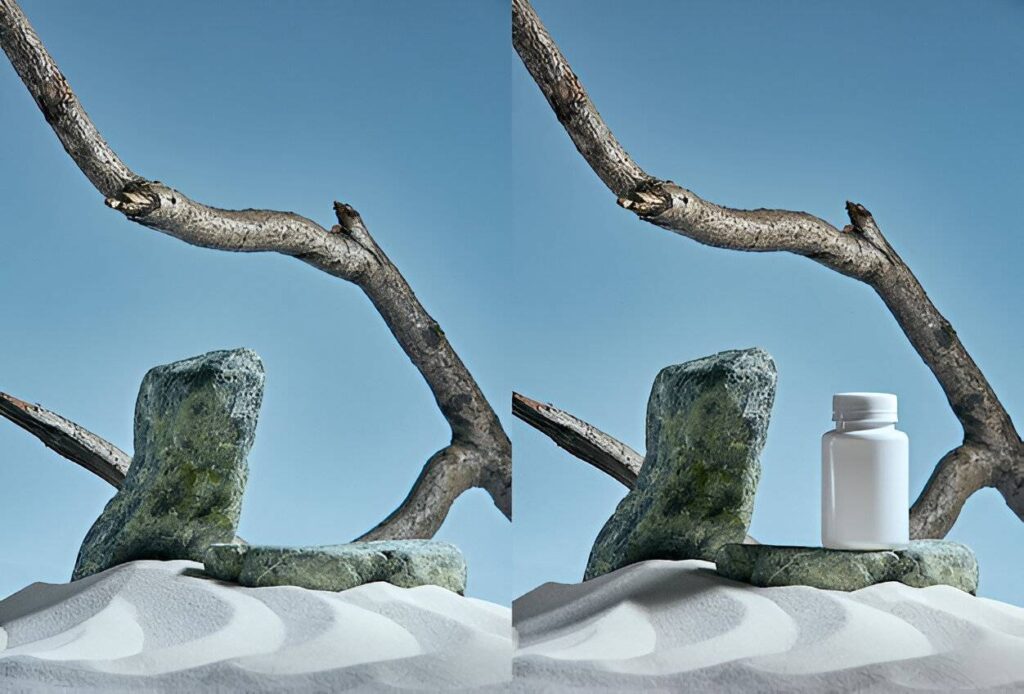
- Clipping Paths in Product Photography
Clipping path services are frequently employed in product photography to clip product images out of the backdrop and leave them set against a transparent background. This has become a necessity for ecommerce stores that require product pictures to be uniform.
- Fashion Photography
The same goes for Fashion Photography – clipping paths make it simple to cut and zoom on models, garments and accessories, swap out the background, and combine several images into one for use in advertisements and catalogs.
- Portrait Photography
In portrait photography, clipping paths help take the surrounding background out and keep the focus solely on the subject. This feature serves well to mimic studio effects in outdoor scenes.
- Photography for Businesses
When capturing images for businesses or commercial purposes, the creation of clipping paths is necessary for the addition of logos and graphic designs in photographs. Clipping paths permit the construction of a single image from numerous components.
- Retouching Photographs
For restyling or correcting photographs, clipping paths make it possible to edit specific parts of a certain image. This method enables effective retouching without modifying other portions of the image.
- Mass Media
In mass media, clipping paths are used to edit images that will be published. This helps in producing images that have sharp outer edges and no extraneous backgrounds, thus making it easier to produce quality prints.
How a Clipping Path is Made

Step 1: Launch the Image on Photoshop
For starters, you want to load the image you want to work on in Photoshop. Click on file on the top left of the screen or press ctrl+O on your keyboard, Search the image in your PC and click on it to open.
Step 2: Choose the Pen Tool
On the left side of the Photoshop user interface, there is a vertical toolbar. Select the pen tool by locating the pen icon on this toolbar. A shortcut available is to press the letter P on the keyboard.
Step 3: Zoom In On The Image
To work on the details, use the Zoom Tool to magnify the image. You can zoom in by pressing Ctrl +(Windows) or Cmd +(Mac).
Step 4: Start Creating The Path
Beginning at the edge of the subject, click to anchor the first point. Each time you click around the subject, you are setting an anchor point. For edges that are curved, click and pull to make Bezier curves, which modify the curvature of the path.
Step 5: Close The Path
After you have set all flexible anchor points, click on the first anchor point to close the path. You’ll now have a clipping path around the subject.
Step 6: Refine The Path
Select the Direct Selection Tool (A) and move anchor points and curves along with the path to adjust it around the subject. You may wish to add or remove some of the anchor points.
Step 7: Change the Path into a Selection
While the path is still selected, navigate to the corresponding section on the menu bar and click the **Load Path as a Selection** icon (a circle with dotted lines). This process will turn the path into a selection.
Step 8: Resize the Selection
To get rid of the background, go to Select > Inverse to inverse the selection. This will allow you to select the background instead of the subject of the image.
Step 9: Take Away the Background
Click the Delete Button on your keyboard to get rid of the background. Now, the object is standing on its own on a transparent background.
Step 10: Archive the Image
Click on File > Save As and then save the image under formats that allow for removability of background such as PNG. This ensures that the transparent background is maintained.
Tools to Create Clipping Paths
- Adobe Photoshop
Adobe Photoshop is a dominant software used from image editing and clipping path to its creation. The Pen Tool is geared alongside myriad other tools available in Photoshop, which is one of the preeminent editing software. Also, Photoshop enables the utilization of layers, masks, and paths which are fundamental parts in the editing techniques of an image.
- Pen Tool
The Pen Tool is what you use to make mathematically perfect clipping paths within Photoshop. It enables the user to form paths by strategically placing points and manipulating curves, thus custom shape clipping is easy using this tool. The Pen Tool can adaptentionally construct both intricate and less intricate paths.
3.Paths Panel
In Photoshop, the Paths Panel is where all the pathways are organized and stored. It enables the user to create new paths and save already created ones while also being able to transform paths saved into selections. The Paths Panel serves as an aid for the editor dealing with an intricate amount of paths and multitasking editing requests.
- Zoom Tool
The Zoom Tool helps users enlarged portions of the image so that close detail work may be handled, including the drawing of clipping paths. It helps with the most sophisticated of clipping paths which are painstaking in their demand of detail.
- Layer Mask
A layer mask either obscures or displays an image portion and does not touch pixels permanently. By combining it and clipping paths, seamless edit and transition is easily done.
- Tools for Selection
Selection tools include the Lasso Tool or Magic Wand Tool, with which you can create a clipping path using the Pen Tool. These tools are helpful in making selections quickly and also help in path finer adjustments.
Tips To Effectively Ensure Your Clipping Paths Are Accurate.

- Utilize Images Of Higher Resolutions
High-resolution images provide more details and make it much easier to create clipping paths. Always try working with the higher resolution to get better results, if they are needed.
- Give Yourself Enough Time
One needs to exercise patience and care while creating a clipping path. Take your time to ensure that the path follows very closely the subject and that the edges are clean with no other edge artifacts.
- Work With The Necessary Tools
Work with the suitable tools, in this case, the Pen Tool, while creating the paths and the Zoom Tool while working on finer details. Knowing the different tools and their uses will enable you to work more efficiently.
- Explicitly Customize The Path.
After the initial path is created, modify the anchor points of the path or the curves of it. This helps to ensure the path defined is accurate and has clean edges to it.
- Save Your Work
Never forget to save your work in a file that allows transparency, like PNGs. This way, the background remains transparent, and the image can be adapted for different uses.
- Practice Regularly
Your skills get better the more you practice masking images. Start with easy images, and as you improve, move on to more intricate ones.
Elevating Photography with Clipping Paths
Clipping paths have become an essential part of modern photography, going far beyond simple background removal. They help enhance image clarity, create flexibility in editing, and save valuable time for photographers and businesses alike. When applied correctly, clipping paths give images a clean, polished, and refined look, something every photographer aims for in today’s highly competitive market.
From product photography to fashion and commercial shoots, clipping paths play a key role in achieving sharp and visually appealing results. With the right expertise, tools, and workflow, it’s possible to create precise and well-defined cutouts that elevate the overall quality of any image.
How UK Clipping Path Supports Your Editing Needs
UK Clipping Path is dedicated to delivering high-quality clipping path services that help businesses present their visuals at their best.
Skilled Professionals
Their experienced editors are capable of handling both simple and complex clipping path tasks with accuracy and care, ensuring clean edges and natural-looking results.
Reliable Quality Control
Each image is carefully reviewed to maintain consistency and precision. Revisions are also available, ensuring the final output meets your expectations.
Quick Delivery
For businesses working under tight deadlines, UK Clipping Path offers fast processing without compromising the final quality—even for large batches of images.
Flexible Pricing Options
With a range of pricing models, including bulk and custom plans, clients can choose solutions that fit their needs and budget.
Complete Image Editing Support
In addition to clipping paths, they also offer related editing services, making it easier to manage all image enhancement tasks in one place.
Client-Focused Approach
Strong communication and responsive support ensure a smooth experience from start to finish.
Use Cases
Clipping path services are widely used across industries such as e-commerce, advertising, fashion, photography, and print media. UK Clipping Path has a proven track record of helping clients improve their visual content and solve real-world image editing challenges.
Conclusion
For professional photographers, clipping paths may be one of the most important tools since it can improve image quality and offer a range of benefits. With the best use of clipping paths, photographers can get pristine, polished, and jaw-dropping images that will be hard to miss in any competitive market.
In this guide, we have discussed every single detail about clipping paths, their benefits, common uses, tools, and techniques required to accomplish them. We’ve covered real-world case studies and noted how the UK Clipping Path can help you get perfect editing.
By following the best practices and using the right tools, anyone can create precise and accurate clipping paths. From product photography, fashion shoots, and commercial work, paths could perform wonders for all types of images.
So, practice, experiment with numerous techniques, and do not shy away from going freelance and outsourcing work to UK Clipping Path. The possibilities and heights you can achieve are endless within the professional photography industry once you possess adequate skills and resources.